AliExpress stopped giving you invoices. Your accountant didn't stop asking.
Every AliExpress order, booked in one click.
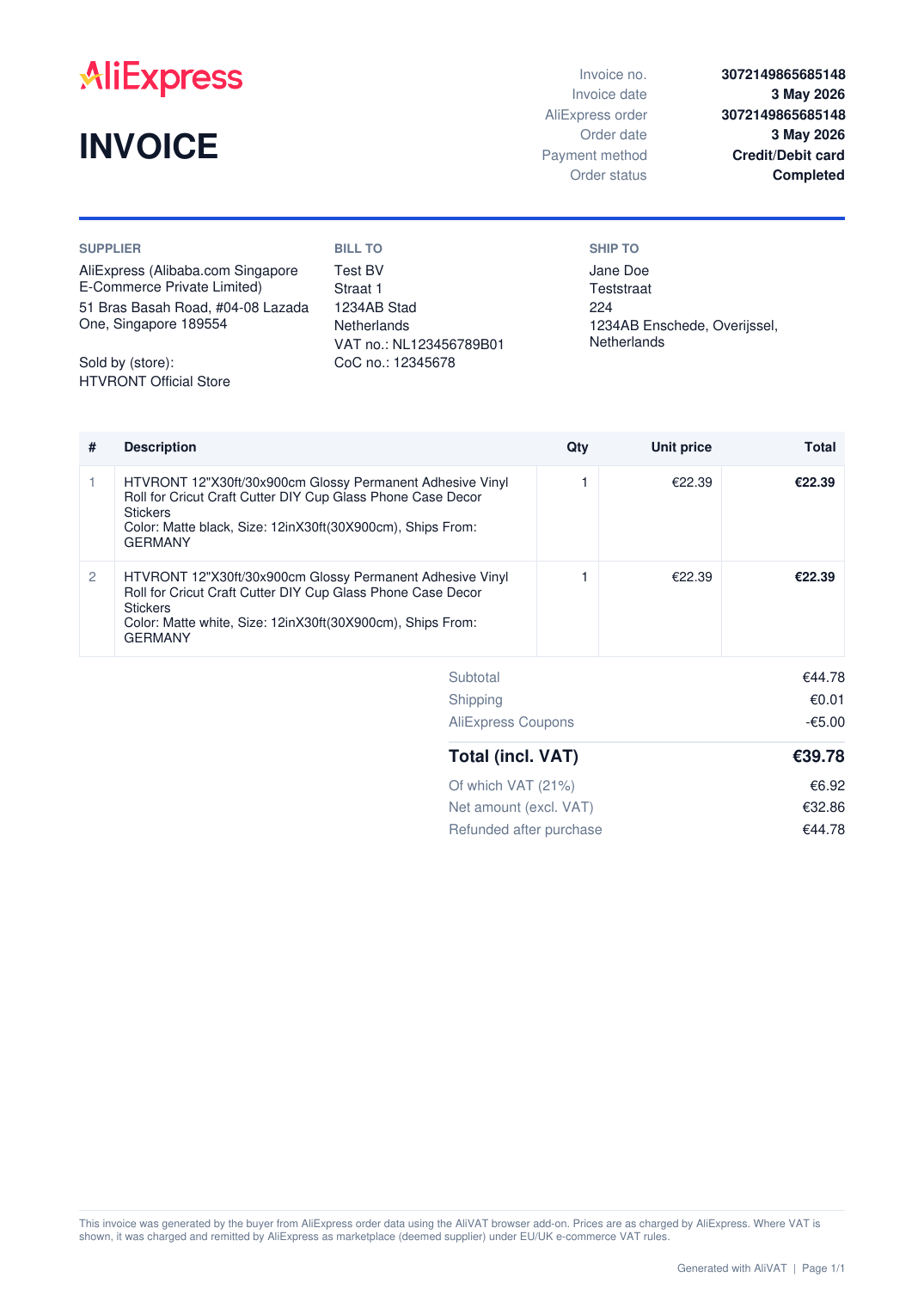
AliVAT adds an invoice button to your AliExpress order pages and turns the order into a proper VAT invoice: your company details, the seller, every line, the VAT split, and a credit note when something gets refunded. A whole quarter exports as one ZIP.
- Firefox: install from the store
- Chrome: install from the store
- Edge: coming soon
- 1 click per invoice
- ZIP for a whole period
- Credit notes for refunds
- EU import duty on the invoice
- EN, NL, DE invoices
How it works
- 1
Open an order
AliVAT sits next to AliExpress' own buttons on every order page.

- 2
Or tick a batch
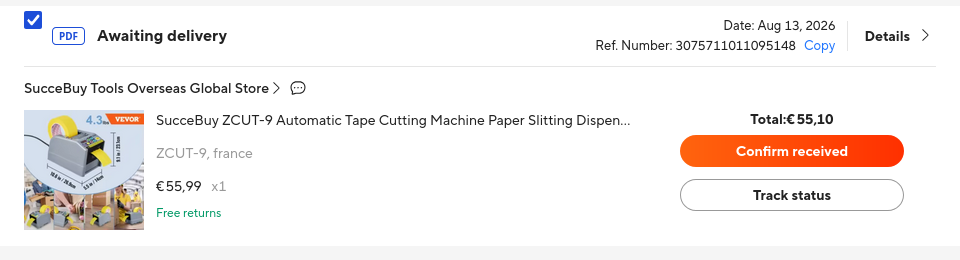
On the orders overview, tick what you need and export a ZIP of PDFs. For a full VAT quarter, pick a date range from the toolbar popup instead.

- 3
Book it
PDFs land in your downloads, named after the order. Invoice numbers are the AliExpress order reference (with your own prefix if you like), so every document is traceable.
What is on the invoice
- Supplier
- The AliExpress entity that charged you, plus the store that sold the item.
- Bill to
- Your company, address, VAT and Chamber of Commerce number, set once in the settings. Ship-to address from the order.
- Lines
- Title, SKU variant, quantity, unit price and line total, exactly as ordered.
- Totals
- Subtotal, shipping, coupons, total, VAT amount with rate, net amount. Numbers match what you paid.
- EU import duty
- Since the 2026 EU customs reform AliExpress charges a flat EUR 3 duty per item type on shipments from outside the EU. AliVAT prints the duty and the VAT on it as separate lines, so the totals add up and the duty books as a cost, not as VAT.
- Refunds
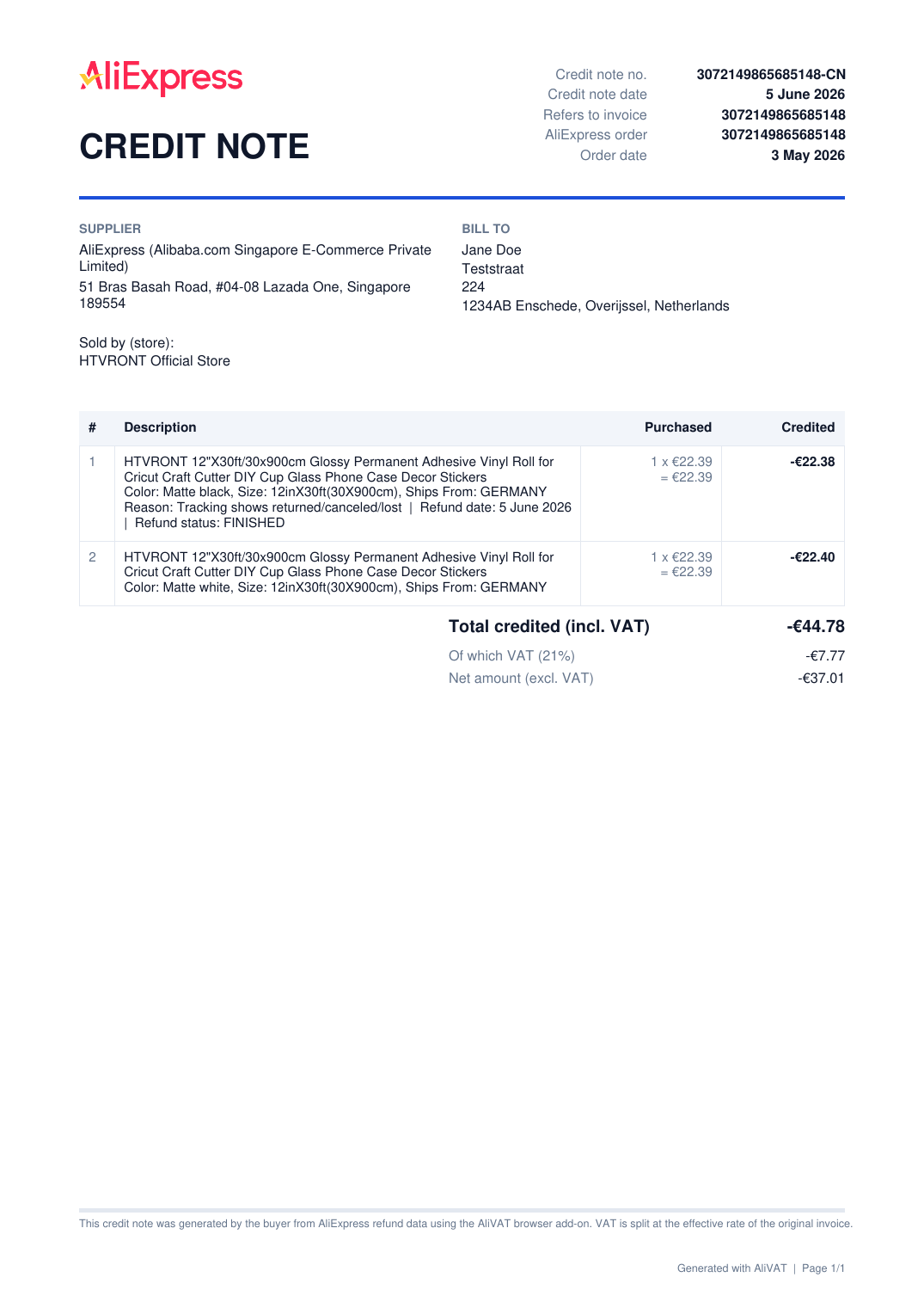
- A separate credit note per order with what was bought, what was credited, refund date and reason. Partial refunds are marked as such.
Questions you should ask
Is this an official AliExpress invoice?
No. It is a document you generate from your own order data, and it says so in the footer. Where VAT is shown, it was charged by AliExpress as marketplace (deemed supplier under EU e-commerce VAT rules). Whether it satisfies your bookkeeping rules is between you and your accountant; in practice it contains everything an accountant asks for.
Where does the VAT amount come from?
From AliExpress. The order page states the VAT amount for most orders and AliVAT uses that number. For orders where AliExpress only says "VAT included" (typically shipments with the EUR 3 import duty) the VAT is calculated at the standard rate of your country and the invoice says "calculated" next to it.
What happens with my data?
Nothing leaves your browser. AliVAT reads the same order data your AliExpress order page loads, with your own login, and generates the PDFs locally. Your settings live in the browser's extension storage. No analytics, no server.
How is this paid for?
It's free. In the settings there is a "Support the developer" checkbox, on by default: when you open your AliExpress cart or checkout, AliVAT applies the developer's referral cookie in the background so a small commission goes to development at no cost to you. It never changes anything on AliExpress pages. Untick it and it stops.
Which browsers?
Firefox today. Chrome and Edge builds are ready and waiting for store approval; the buttons above switch on automatically once they are live.
Support
Something broken, an invoice that doesn't add up, a feature you miss? Send it here. Replies come from a human, usually within a day.